
How Do Touch Screens Work
How Touch Screens Detect "Touch"


Vertical lines: Connected to power source, allow passage of electric current.
Horizontal lines: Serves to detect electrical signals.
Horizontal lines: Serves to detect electrical signals.
Vertical lines: Connected to power source, allow passage of electric current.
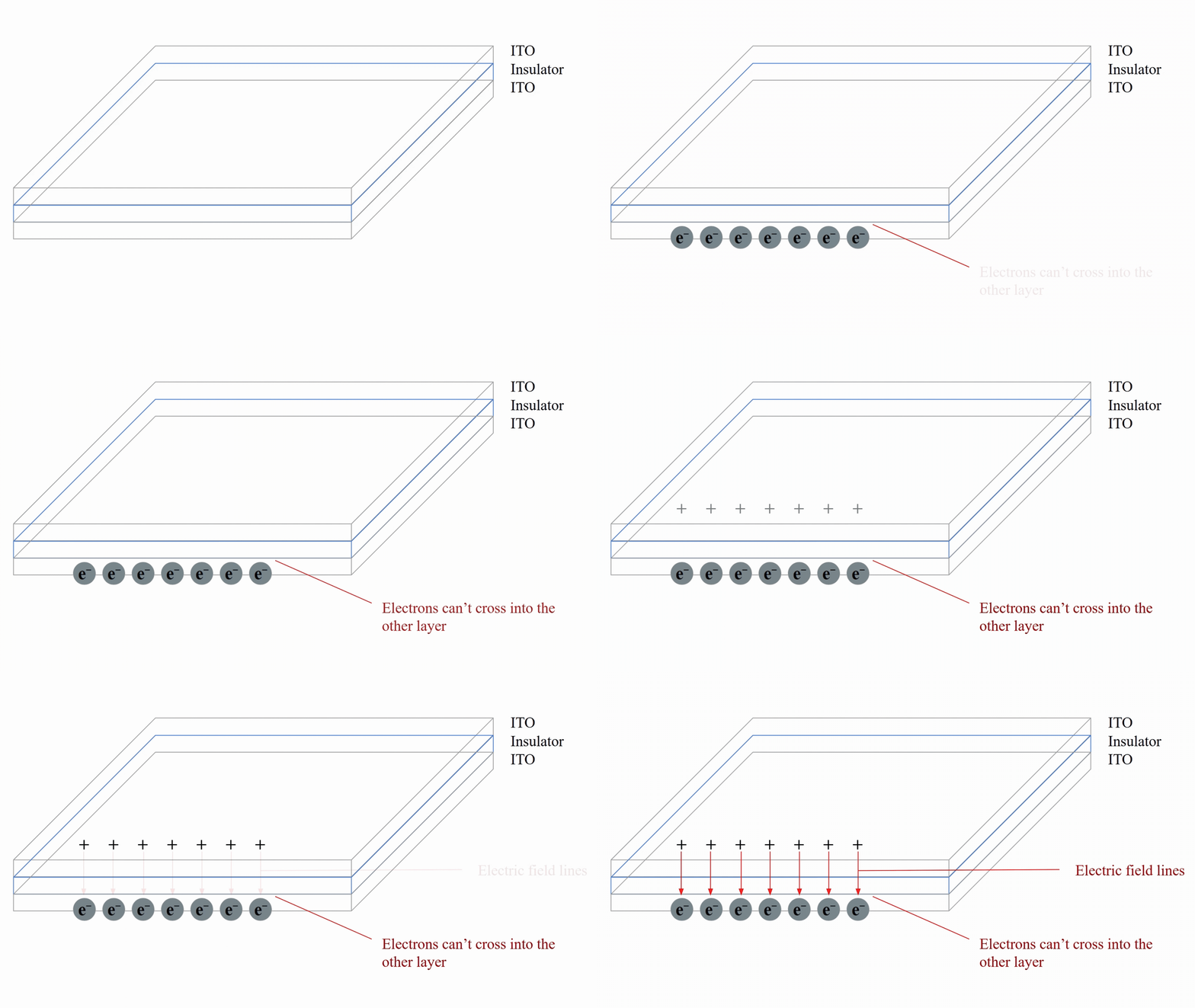
Grids of ITO + An insulator between, creating a capacitor.
Capacitor: A device that stores electrical charge, usually consisting of two closely spaced conductive materials separated by an insulator.
Source: https://www.researchgate.net/figure/A-typical-layout-of-a-capacitive-touch-screen_fig1_273135795
-
Electric current supplied → Electrons flood into one layer but can’t cross into the other layer, inducing opposite charges.
-
Oppositely charged regions → Forms an electric field.
Induction of Charges: Charged material held near uncharged material, attraction of opposite charges and repulsion of like charges causes electrons to move to one area within the material and leave protons in another. This causes charges to be induced within a material, even without the two materials touching.
Created With: Google Slides & Adobe
Created With: Google Slides & Adobe
-
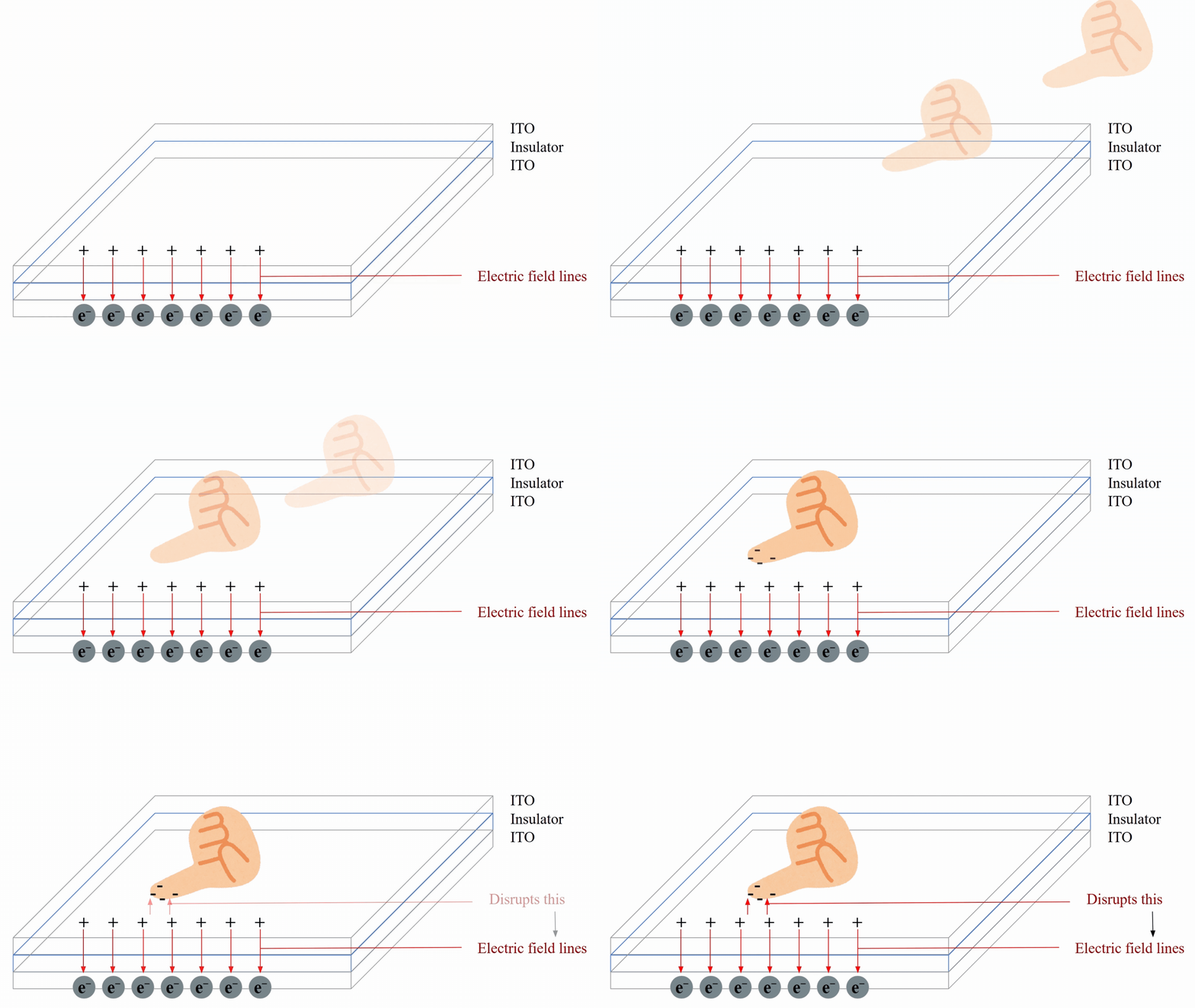
Electric field change is detected by electrodes in sensing lines (horizontal lines).
-
Phone processor then interprets the information and translates it to a specific location and action.
-
Human body/finger naturally conductive.
-
Opposite charges will accumulate in the finger as it approaches the screen.
-
Accumulation of charge and interaction of the charges of the finger and the capacitor changes the electric field.
Our finger is not the only working "stylus"...
If an object...
-
Produces a strong enough change in electric field, and
-
This change falls within the range of electric field changes a human can produce,
It can also interact with a touch screen! (acting as our finger)
Fun Fact: A sausage can be used as stylus on most touch screens too! This is because the outer layer of a sausage has conductive properties similar to human skin, creating a similar electrical effect interpreted as "touch".
Different Types of Touch Screens

-
Most commonly used: Projected Capacitive Touch Screen
-
Multi-touch function.
-


X and Y Electrode Layers: Gives each point on the touch screen a specific coordinate.
Coordinates are read independently of one another.
Thus many touches can be detected at once, allowing for multi-touch functions.

Other Useful Resources On The Different Types of Touch Screens and How They Work:
https://www.youtube.com/watch?v=cFvh7qM6LdA
https://illumin.usc.edu/touchscreen-an-engineered-harmony-between-humans-and-machines/